
Table of contents
How to choose the right app for kids ages 6-8
The top charts on the App Store and Google Play show what’s popular, not what’s best for a 6- to 8-year-old.
For kids this age, the American Academy of Pediatrics recommends consistent limits on both how much time kids spend on screens and the types of media they use. Also making sure screens don’t crowd out sleep, physical activity, and other healthy habits. When time is limited, it makes sense to choose apps carefully and keep a varied mix for different purposes.
When you pick an app for a 6- to 8-year-old, the content of the game isn’t the only thing that matters. Check whether the app has ads, in-app purchases or subscriptions, and what data it collects. It’s also worth looking at whether your child can use it independently or will need your help.
Have a younger child, too? Check out our roundup of the best apps for kids ages 3 to 5 for more recommendations.
We start with our own learning app, Smart Minis, which combines language and math. Next are nine more apps where kids can play chess, try coding, identify plants, and animals, learn piano, create art, explore the night sky, and let their imaginations run wild with pretend play.
Smart Minis
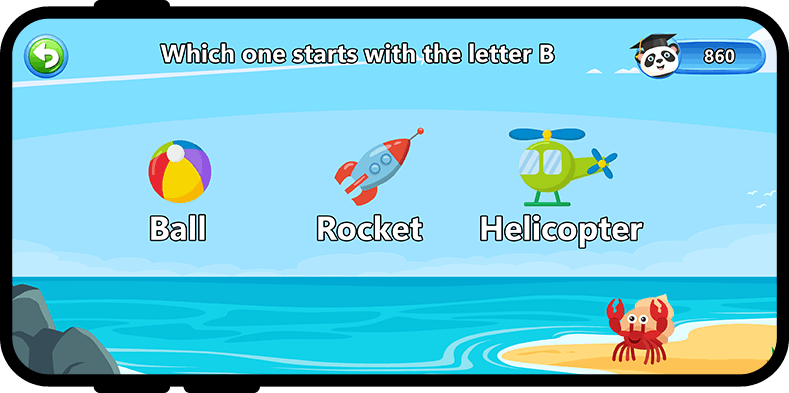
A learning app for language and math
Smart Minis is our own learning app, designed for kids from pre-K through the early elementary grades. It’s also a good fit for kids ages 6 to 8 who are practicing letters, numbers, and their first math problems.
Letters, words and math problems in game form
In the language section, kids practice the alphabet, everyday words, colors, and shapes. In the math section, they learn to recognize and write numbers, and solve simple addition and subtraction problems. Everything is built around short, engaging games like memory games, puzzles, and car races, making practice feel more like play than homework.
A pet companion that keeps kids motivated
Each child gets a pet companion that celebrates correct answers with praise and points, while offering encouragement when they get something wrong. Kids can spend their points in the reward shop to buy new clothes, hats, and food for their pet. These small rewards give them an extra reason to keep playing and exploring new activities.
Voice narration and on-screen text, with no ads
The app combines spoken audio with on-screen text, allowing kids to hear and see letters and words at the same time. This can be especially helpful when they’re practicing reading and learning new words. There are no ads or constant prompts to buy extra content, so kids can focus on playing and learning.
Of course, we’re biased when it comes to our own app, so we encourage you to judge it by the same standards as the rest of this list.. Smart Minis is designed to complement school and learning at home, not replace them or the time parents spend reading with their children.
Pricing and purchases
Smart Minis is free to download, and new users get a 3-day free trial. Two games are always free to play, while a monthly or annual subscription unlocks the full game collection. There are no microtransactions or hidden fees.
The app also works offline. For answers to questions about subscriptions and the free trial, visit the Smart Minis FAQ.

Smart Minis
A language and math learning app for pre-K and early elementary kids. Kids practice letters, numbers, and simple math through fun mini-games with a pet companion.


ChessKid: Chess for Kids
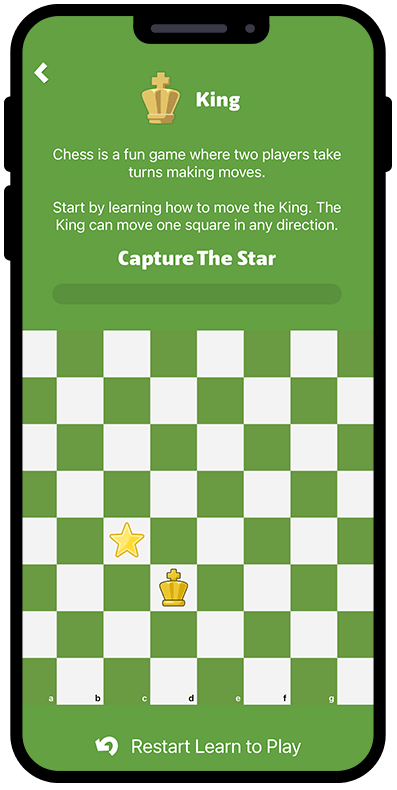
Learn chess with games, puzzles and video lessons
ChessKid is the kids’ chess app from Chess.com. Children learn the game by playing online or offline, solving puzzles, and watching video lessons, all in an ad-free space built for kids. Younger players may need a grown-up’s help at first.
Play, solve puzzles, and learn
Kids can play chess online or offline, challenge friends, or play against 10 different chess bots. They can also solve puzzles and watch kid-friendly instructional videos covering everything from the rules and basic tactics to endgames. Some lessons feature tutorials from FunMasterMike.
Pricing and purchases
ChessKid is free to download, and kids can play unlimited chess games at no cost. They can also solve up to three puzzles a day for free, while unlimited puzzles and video lessons require a Gold membership. The listing describes the app as ad-free. It also states that kids can only chat with their parents during games and can’t add friends without explicit parental permission. Parents have full control over their children’s accounts.
ChessKid: Chess for Kids
Chess games, bots, puzzles, and video lessons designed for kids. Free to play and ad-free, with parental controls for added peace of mind.
Code Land: Coding for Kids
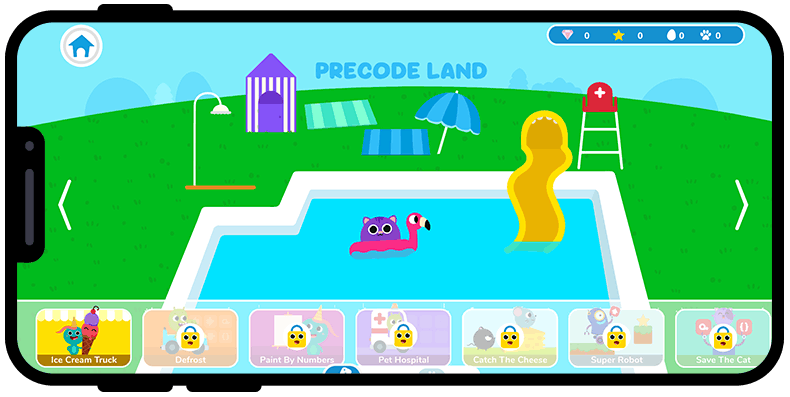
Learn coding concepts through play
Code Land is an educational app from Learny Land that teaches coding through games, inspired by beginner tools like ScratchJr.
Loops, sequences and puzzles
Across hundreds of challenges in different worlds and games, kids learn concepts like loops, sequences, actions, conditions, and events.
Some games are visual and don’t require reading, while others are advanced multiplayer coding games. Along the way, kids do things like build a factory or find their way out of a maze.
Good to know before you start
The app doesn’t require additional content downloads, making it easy to play offline. It also supports multiple user profiles. According to the developer, there are no ads, no data collection, and no written communication between players or with other people. However, its App Store privacy label lists some data that may be collected, including email address and purchase history, so it’s worth reviewing them before signing up. Parents and teachers can also track kids’ progress in the app.
Pricing and purchases
Code Land is free to download and try. Full access requires a monthly or annual subscription (called Code Land Unlimited on the App Store), which includes a free trial and can be canceled at any time. Some subscriptions may be shareable with Family Sharing.
Code Land: Coding for Kids
Learn loops, sequences and logic by solving puzzles in colorful worlds. Free to try, with a subscription for full access. Ad-free, according to the developer.
Seek by iNaturalist
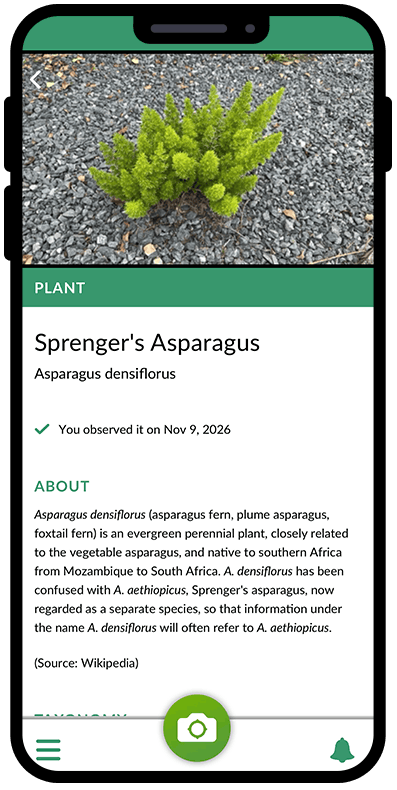
Identify the plants and animals around you
Seek by iNaturalist uses image recognition to help kids identify plants, animals, and fungi. It comes from iNaturalist, a nonprofit, and was made with support from groups including the California Academy of Sciences and the National Geographic Society.
Point the camera and start seeking
Kids open the Seek Camera, point it at a living thing and see if the app knows what it is. Seek also shows lists of commonly recorded insects, birds, plants, amphibians, and more in your area, based on millions of wildlife observations on iNaturalist. Kids earn badges for observing different types of species and for taking part in challenges, which gives a which turns an ordinary walk into a scavenger hunt.
Kid-safe by default
According to the developer, Seek doesn’t require registration and doesn’t collect any user data by default. Signing in with an iNaturalist account does collect some data, and kids must be 13 or older or have a parent’s permission. The app asks to use location services, but the location is obscured, and your precise location is only stored or sent if you sign in and submit your observations.
Pricing and purchases
Seek is free to download, and the App Store listing shows no in-app purchases.
Seek by iNaturalist
Point your phone at a plant, bug or bird and see what Seek says it is. Free, with badges and challenges to keep kids exploring.
Toca Boca World
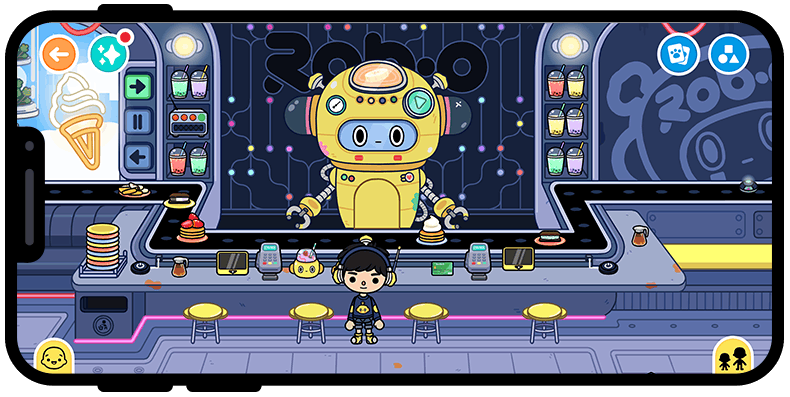
A digital world for creative play and make-believe
Toca Boca World is a popular app with more than 100 million downloads on Google Play, where it also carries a “Teacher Approved” badge. Swedish developer Toca Boca brought its Toca Life apps together in one big digital world with no set rules, goals, or time limits.
Create characters, decorate homes, and design outfits
Kids can create their own characters, decorate apartments in Bop City with furniture and colors, and make up stories in shops, hair salons, and homes. Every Friday, a free gift appears at the post office, something many kids look forward to. The App Store lists the app as suitable for ages 6-8, and Google Play says it can be played offline.
Pricing and purchases
Toca Boca World is free to download and includes plenty of free content. However, kids who want to expand their world with more houses, characters, furniture, and themed packs will need to buy them in the app. There are no third-party ads, but with so many items available to buy, it’s worth keeping an eye on in-app purchases.
Toca Boca World
A huge digital dollhouse where kids can create characters, decorate homes, and make up their own stories. Free to download and ad-free, but with plenty of tempting in-app purchases.
Dr. Panda Town Tales
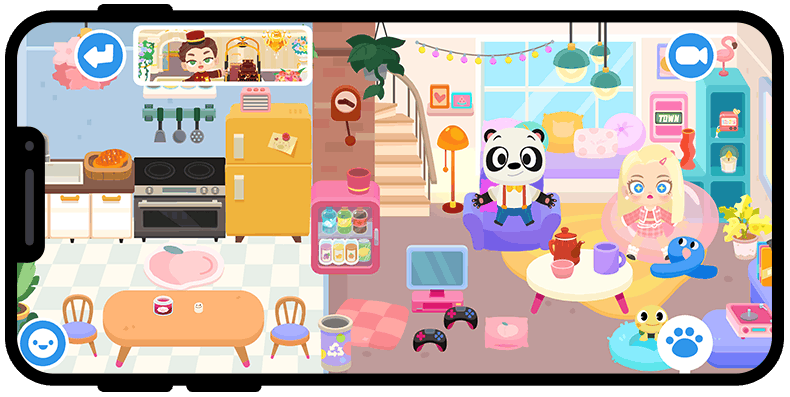
A digital world for pretend play and everyday adventures
Dr. Panda Town Tales combines Dr. Panda’s earlier town-themed apps into one big game. Kids can pretend to be a police officer, hairstylist, or veterinarian, spend the day at the beach or amusement park, or go on a cruise to faraway islands.
Plenty of places to explore and characters to meet
The app features more than 30 locations and more than 35 characters, with new content added every month. Kids can visit an arcade and collect tickets, explore an underwater city, and even hatch dragons and unicorns. The App Store lists the app as suitable for ages 6-8.
Pricing and purchases
Dr. Panda Town Tales is free to download, but only some of the content is available for free. Access to the rest requires a subscription or one-time purchases. The app also offers a free trial that automatically renews as a paid subscription unless you cancel before the trial ends. One thing to keep in mind: according to the App Store, the subscription isn’t eligible for Apple Family Sharing.
Dr. Panda Town Tales
Play pretend in a world with a police station, school, shopping mall, and amusement park. Some areas are free to explore, but most content requires a subscription or one-time purchases.
Simply Piano: Learn Piano Fast
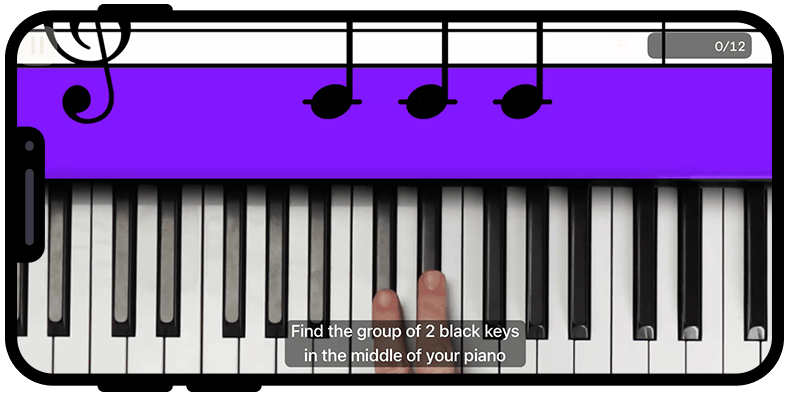
Learn piano on a real piano or keyboard
Simply Piano is a piano-learning app from Simply (formerly JoyTunes, the company behind Simply Guitar and Piano Maestro). Simply Piano is designed for all ages and requires no previous musical experience.
Songs, step-by-step lessons, and five-minute practice sessions
Kids set a phone or tablet on or near a piano or keyboard and start playing. The app listens through the device’s microphone or a MIDI connection and provides instant feedback. Lessons guide them step by step, from learning to read sheet music to playing with both hands. The song library includes a mix of popular songs and classical pieces by composers such as Bach, Beethoven, and Mozart.
Songs can be slowed down to make practice easier, and personalized five-minute workouts help keep each session manageable. Don’t have a piano? The Touch Courses turn your device into an on-screen keyboard.
Good to know before you start
Google Play describes the app as kid-safe, with no ads or external links. You can also set up to five profiles under one account and subscription plan. However, the App Store privacy label lists data that may be used to track you across apps and websites owned by other companies. It also lists personal information linked to you, including your name and email address, so it’s worth reviewing the privacy details before signing up.
Pricing and purchases
Simply Piano is free to download, and all users get access to two free courses. A Premium subscription is required to unlock all courses and songs, with new content added every month. Google Play lists a seven-day free Premium trial, while the App Store offers both individual and family plans, so it’s worth comparing the options before subscribing.
Simply Piano: Learn Piano Fast
Learn to play real piano songs with instant feedback on any piano or keyboard. Two courses are free, while full access requires a Premium subscription.
Bluey: Let’s Play!
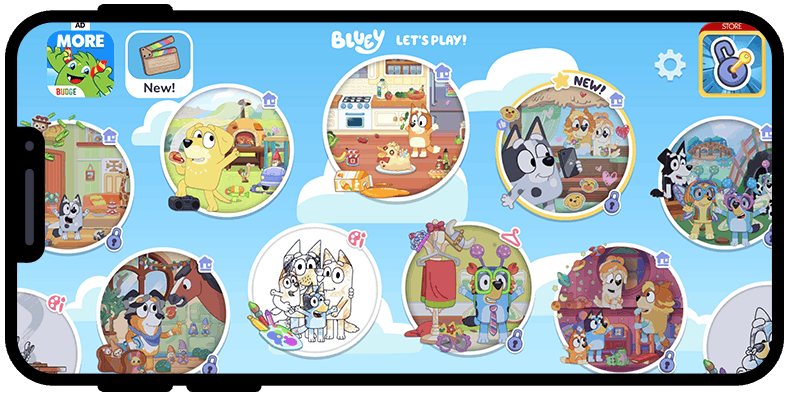
A playful world for kids who love Bluey
Bluey: Let’s Play! from Budge Studios lets kids explore the Heelers’ house from the hit TV show. Since Bluey herself is six years old, the app is especially relatable for many children in the 6-8 age group.
Everyday adventures in Bluey’s house
Kids can cook in the kitchen, build a pizza oven in the backyard, jump on the trampoline, host a tea party, and listen to songs from the show. There’s also a coloring book filled with scenes and characters from Bluey’s world. Budge Studios describes the game as a calm play experience for kids ages 2-9, with the focus on imaginative play rather than learning.
Pricing and purchases
Bluey: Let’s Play! is free to download, but some content requires a subscription. Google Play also notes that the app contains ads, so keep an eye out for advertising and offers for other apps.
We recommend trying the free content together with your child before deciding whether to subscribe. It’s also a good idea to turn off in-app purchases in your device settings.
Bluey: Let’s Play!
Explore the Heeler family’s home and play with Bluey, Bingo, Bandit, and Chilli. A fun choice for fans of the show, but keep an eye on subscriptions and ads for other apps.
Crayola Create and Play
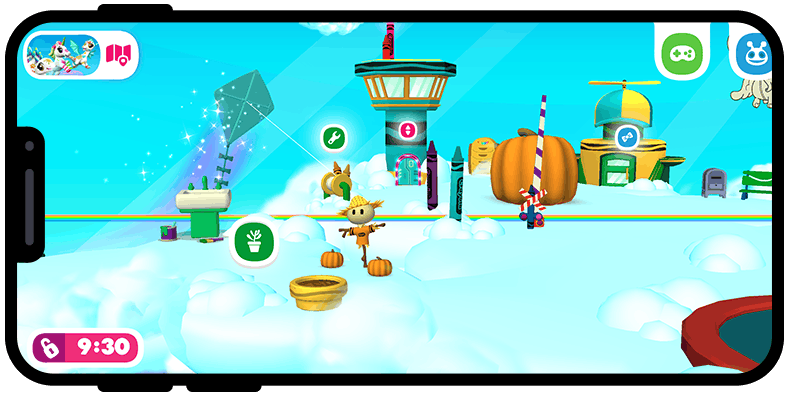
Coloring, drawing, and creative activities
Crayola Create and Play is the official Crayola app for art, coloring, and creative learning activities.
Kids can use digital Crayola tools to color, draw, paint, stamp, and create pictures with stickers and glitter. Activities include unlimited coloring pages, pixel art, glow art, and 3D designs featuring everything from dinosaurs to rocket ships. They can even turn their own artwork into puzzles to solve.
More than just coloring
What we like most is that the app offers more than coloring activities. Kids can hatch, design, and care for pets by washing and feeding them. There are also basic coding exercises and activities that help them practice spelling and number recognition. According to the App Store listing, the learning activities were developed in collaboration with experts from the Smithsonian Institution.
Pricing and purchases
Crayola Create and Play is free to download, but full access requires a subscription that comes with a seven-day free trial. It’s also included in the Crayola Creativity Bundle, which provides access to five Crayola apps under one subscription. Google Play lists the app as containing ads, so it’s worth checking the subscription terms and ad experience before handing over the device.
Crayola Create and Play
The official Crayola app, packed with coloring pages, pixel art, glow art, and pet care activities. Free to download, with a subscription required for full access.
SkyView Lite
Explore the night sky with augmented reality
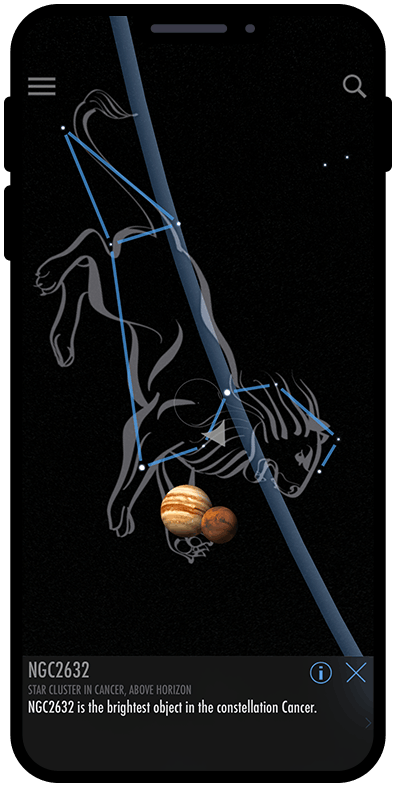
SkyView Lite is an augmented reality stargazing app from Terminal Eleven that helps kids discover what’s above them. Simply point a phone or tablet toward the sky to identify stars, constellations, planets, satellites, and more. The App Store rates it 4+, while Google Play gives it an Everyone rating. With its simple camera-based interface, it can be a great introduction to astronomy for children ages 6-8, especially when exploring with a parent.
Point your camera at the sky and discover the universe
SkyView Lite uses your device’s camera and augmented reality to show the names and positions of celestial objects as you look around. Kids can find familiar constellations, locate planets and the Moon, spot distant galaxies, and watch satellites such as the International Space Station and Hubble Space Telescope pass overhead. The app also shows where the Sun and Moon will appear at different times, making it possible to explore how the sky changes throughout the day and year.
Explore the sky at different times
The Sky Paths feature shows the daily paths of the Sun and Moon, while Time Travel lets users move between past and future dates to see how the sky changes. Sightings provides reminders for upcoming celestial events, helping families plan their next stargazing session. A night mode with red and green filters makes the screen easier to use outdoors after dark. The app also works without Wi-Fi or cellular data.
Good to know before you start
SkyView Lite is a stargazing tool rather than a structured learning game. It doesn’t provide lessons or quizzes, so younger children will get the most out of it when an adult helps them identify objects and understand what they are seeing. The app is available in English only.
The Apple privacy label says that location information and device identifiers may be used for tracking and third-party advertising. Google Play also states that the app may collect and share location and personal information with third parties. Parents should review the privacy settings and permissions before letting children use the app.
Pricing and purchases
SkyView Lite is free to download on both platforms, but the US App Store lists optional in-app purchases. These include Brightest Satellites & Sightings and Stargazing Music Pack, both priced at $0.99. Check Google Play for any available purchases and current pricing on Android.

SkyView Lite
Point your device at the sky to identify stars, constellations, planets, and satellites. Explore the universe through augmented reality and see what’s overhead. Free, with optional in-app purchases.

Make learning fun for your kid with the Smart Minis app for Android and iOS!
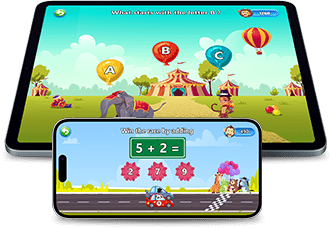
Smart Minis is packed with exciting educational games that help your child learn language skills (including the alphabet, words, and letters), math, shapes, and colors in a safe, child-friendly environment.

Conclusion
Great apps for ages 6-8 that mix play, learning and imagination
We hope this list gives you some good alternatives to short-form videos and other passive screen time.
Whether your child is practicing letters in Smart Minis, playing chess with ChessKid, identifying plants with Seek or coloring with Crayola Create and Play, there are plenty of ways to use a screen for more than pure entertainment.
Five quick tips for parents
- Set consistent limits on screen time, as the American Academy of Pediatrics recommends for kids this age, and make sure screens don’t crowd out sleep, physical activity or family time. The AAP’s Family Media Plan can help you set limits that fit your family.
- Avoid screens right up to bedtime, and keep phones and tablets out of the bedroom at night.
- Check whether an app has purchases or ads before you download it.
- Use your device’s parental controls to limit purchases and require approval. On iPhone and iPad, look under Screen Time. On Android, use Google Family Link.
- Try the app together with your child the first few times, so you know what they’re playing and can enjoy it together.
Want to learn what sets a quality learning app apart from pure entertainment? Read our article about quality screen time with learning apps.

Kids love screen time. Make it count with Smart Minis, where children getting ready for school can practice language, and math.